




Math homework often becomes difficult at the exact moment you need a quick explanation: a blurry worksheet, an unfamiliar symbol, or a problem that looks simple until several steps appear at once. I tested Mathway: Scan & Solve Problems as an everyday study companion, and my impression is that it works best when you treat it as a checking and learning tool rather than a replacement for understanding the lesson.
This is a free education app from Chegg, Inc., available for Everyone and supported by optional in-app purchases ranging from $0.99 to $149.99 per item. Its focus is direct: enter a math problem, let the app interpret it, and use the result to move forward. That sounds straightforward, but the quality of the experience depends heavily on how clearly the problem is entered and whether you know how to respond when the first attempt does not work.
Where the experience usually gets stuck
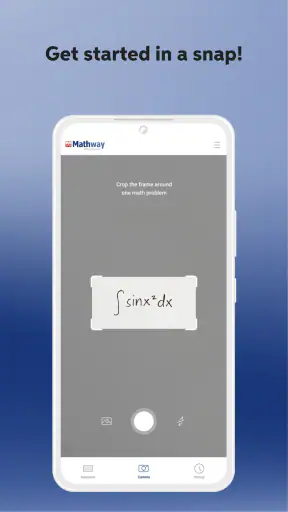
The first point of friction is often the scan itself. A camera-based math tool has to distinguish numbers, operation signs, fractions, exponents, parentheses, and handwritten marks. A small mistake in recognition can completely change the question. For example, a minus sign may be missed, a decimal may look like a stray mark, or a handwritten variable may be interpreted differently from what you intended.
My practical advice is to look at the captured problem before trusting the answer. If the result seems wildly different from what you expected, do not immediately assume your algebra is wrong. First check whether the entered expression matches the worksheet. This simple habit saves more time than repeatedly scanning the same page and hoping for a better interpretation.
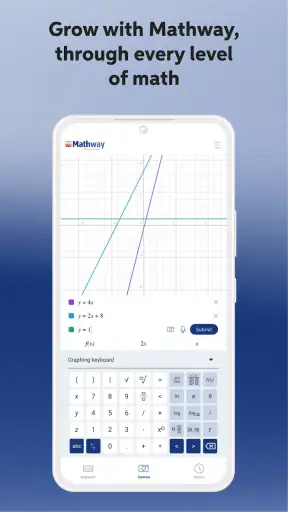
Typing is usually the safer route for a short expression, especially when the problem contains several symbols close together. It takes longer than pointing a camera at the page, but it gives you control over the exact order of operations. I prefer scanning for a clean printed exercise and typing when the question includes cramped handwriting, a table, or a diagram that is not really part of the equation.
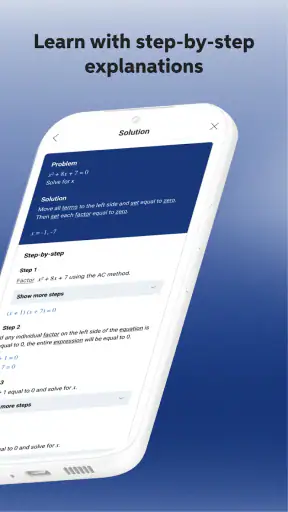
Another common sticking point is expecting every answer to feel like a lesson. A solver can be excellent at producing a result while still being less helpful for a student who needs to understand why a method works. I found it more useful to pause after receiving an answer and ask myself which step I could reproduce without the app. If I could not explain the transformation, I treated the result as a clue, not as a finished study session.
The most important habit is verifying the expression before judging the answer. This is particularly important with fractions and negative values, where one misplaced symbol can make a correct calculation look incorrect. Mathway is fast at processing a clearly entered problem, but it cannot repair an expression that was captured or typed incorrectly.
What to check before blaming the scanner
Start with the physical page. Bright, even lighting makes a printed equation easier to distinguish than a shadowed desk or a glossy textbook page. Keep the phone steady and frame only the relevant question when possible. If the page contains several exercises, isolating one problem reduces the chance of selecting the wrong line or including nearby marks.
Handwriting deserves extra caution. Make the difference between a one and a lowercase letter clear, and rewrite an unclear exponent before scanning if necessary. A clean rewritten version may be faster than trying to make the original page readable. This is not a defect unique to one app; recognition tools work from visual input, so ambiguous writing remains ambiguous.
When entering a problem manually, use parentheses deliberately. A fraction written informally on paper may need a clearer digital structure so that the numerator and denominator stay together. The same applies to powers and negative numbers. If an answer looks surprising, re-enter the expression in smaller parts and compare the intermediate results rather than changing several things at once.
Setup checks that prevent avoidable problems
Mathway has been available since February 4, 2012, and the current version is 6.12.0. It runs on Android 8.0 or later, so an older device may be the reason installation or updating becomes difficult. Before spending time troubleshooting the app itself, I would check the phone’s operating system and available storage, then confirm that the installation completed normally.
The app is free to install, which makes it easy to try without committing money at the start. However, optional purchases are part of the experience, so I would pay attention to which explanation or advanced-help areas are available in the version you are using before building your entire study routine around them. A free download does not necessarily mean every form of assistance is included without charge.
With a 4.1 average from around 414 thousand ratings and more than 50 million installs, it is clearly a widely used math tool. Those figures suggest that many people find it useful, but they should not replace your own test with the kinds of questions you actually study. A student working mainly with basic equations may have a very different experience from someone handling notation-heavy algebra or longer multi-step exercises.
At setup time, I recommend preparing two ways to enter a problem: scanning for speed and typing for precision. This small backup plan matters because a failed scan does not have to stop your homework. It also helps you identify whether the issue is recognition, the question itself, or the way the expression was entered.
Do not begin by scanning an entire worksheet. Use one short, clearly printed example first. Confirm that the app reads it as intended, then try a problem with a fraction or exponent. Gradually increasing complexity gives you a practical sense of where your own material becomes unreliable, without confusing several possible causes at once.
The Everyone age rating makes the app suitable for a broad audience, including younger learners using it with normal study supervision. Still, suitability is not the same as educational fit. A child who needs patient, visual instruction may learn more from a teacher, textbook, or guided lesson than from an answer-focused tool. I would present Mathway as support alongside instruction, not as the whole learning environment.
A reliable workflow for a difficult exercise
When I use a solver for homework, I get better results from a deliberate sequence. First, I try the problem myself, even if I only know the first step. Next, I enter the same expression into Mathway. Finally, I compare the result and identify the first point where my work diverged. This turns the app from an answer dispenser into a way to locate an error.
If the answer agrees with mine, I still check whether the form is equivalent. Algebraic answers can look different while representing the same value. For a fraction, radical, or equation, I would simplify both versions or substitute a sensible value where appropriate. The app can confirm a calculation, but the student still needs to recognize equivalent forms for tests and written assignments.
For a photographed problem, keep the original worksheet nearby. If the result seems unrelated, compare every symbol rather than only the final number. A missing parenthesis or a misread exponent is enough to send the calculation in a completely different direction. I find this comparison especially useful because it teaches you which parts of your handwriting or page layout the camera struggles to interpret.
When a solution does not appear as expected, recover in stages. Retake the image with a tighter crop. If that fails, type the expression. If typing is confusing, rewrite the problem in a simpler line on paper and scan that version. Should the answer still seem wrong, calculate a small part independently. This process separates an input problem from a mathematical disagreement.
One useful trade-off is speed versus control. Scanning is attractive when you have many printed exercises, but manual entry gives you a chance to inspect the structure. I would scan routine examples and type the problems I am actively trying to understand. The slower method is often better when the goal is learning rather than merely clearing a homework queue.
Another good workflow is to keep a short error log. Write down whether the issue came from a sign, a fraction, an exponent, or an operation order. After several sessions, you may notice that the app is not the main source of difficulty; perhaps negative signs are being omitted in your own notes, or fractions are being copied inconsistently. That insight is more valuable than a single correct answer.
When the app is not the cause
Sometimes the apparent failure comes from the mathematics rather than the software. A problem may have more than one valid form, require a domain restriction, or depend on an instruction that is not visible in the equation alone. “Solve” can mean something different from “simplify,” and a numerical result may not satisfy the full conditions of a word problem.
This is where human judgment matters. If the worksheet asks for an explanation, graph, proof, or interpretation, a solver may help with a calculation but not replace the reasoning your teacher expects. I would use the result to check a step, then write the method in my own words. Copying an unexplained answer may finish one exercise while leaving the underlying topic just as confusing.
Word problems are another boundary. The app can be useful after you translate the wording into an equation, but that translation is often the real challenge. If you enter the wrong relationship between quantities, a perfectly calculated answer can still be wrong. In that situation, I would spend more time defining the variables and checking the units before opening the solver.
Likewise, diagrams and graphs can contain information that is not captured by a simple expression. A camera may see symbols while missing the meaning of a shape, label, or spatial relationship. For geometry, statistics, and coordinate work, I would use Mathway for the numerical portion only when the visual setup is already understood.
Connectivity and device behavior can also complicate a session. If the app seems unresponsive, I would first retry with a short typed expression, close and reopen it, and check whether the phone itself is behaving normally. If other apps are also slow, the broader device condition is a more likely suspect than the math tool. These are basic checks, but they prevent unnecessary reinstallation and lost work.
It is also worth remembering that a calculator-style answer is not automatically a proof of your original work. If you copied a sign incorrectly, selected the wrong problem, or misunderstood the teacher’s notation, the app may faithfully solve a different question. The responsibility for matching the answer to the assignment remains with the user.
Who will benefit most from this app
I think Mathway is strongest for students who need quick verification while practicing algebra and other calculation-heavy topics. It is also useful for adults refreshing school mathematics, parents checking a child’s arithmetic, and anyone who wants a second look at a manually completed exercise. The low barrier to trying it makes it practical for occasional questions rather than only daily users.
A realistic evening use case would be a student working through a worksheet after class. They solve the first few questions on paper, scan one clean example to check the general approach, then type a troublesome expression when the camera misreads a fraction. Instead of copying every result, they compare the first incorrect step and redo the problem without looking. In that workflow, the app saves time while preserving the learning process.
It is less suitable for someone who wants a complete course with structured lessons, practice progression, and a teacher responding to misconceptions. It may also frustrate users whose homework is mostly diagrams, long written explanations, or unusually formatted notation. In those cases, a textbook, tutoring platform, graphing tool, or direct help from an instructor may be the better primary resource.
Compared with a traditional calculator, Mathway is more convenient for interpreting a written math expression and checking multi-step work. Compared with searching the web for a worked example, it is more direct when you already have a specific problem. The trade-off is that neither alternative automatically guarantees understanding: a calculator gives less context, while a web search can lead to an example that only resembles your question.
Compared with handwritten solving, the app is faster but less revealing about your own habits. Writing every step exposes where your reasoning changes; entering only the final expression can hide that information. My preferred balance is to do the setup and first attempt by hand, then use Mathway as a controlled checkpoint.
My practical verdict after using it
Mathway: Scan & Solve Problems is a useful, focused education app when you need to check a math expression quickly and are willing to inspect the input. Its best quality is convenience: a printed problem can become a starting point for verification without requiring you to search through several pages of examples. The scan option is appealing, while manual entry provides a dependable fallback when the visual interpretation is uncertain.
The main limitation is not that it produces answers quickly; it is that quick answers can encourage passive homework habits. I would not recommend opening it before attempting every problem, especially when you are preparing for an exam where the app will not be available. Use it to identify mistakes, compare equivalent forms, and get unstuck after making a genuine attempt.
Chegg, Inc. has kept the app accessible as a free download, but the optional purchase range means you should decide how much guided help you actually need before paying for anything. For occasional checking, the free starting point may be enough. For a student who expects detailed assistance throughout a course, it is sensible to compare that cost and workflow with a tutor, class resources, or a dedicated learning service.
My final recommendation is straightforward: install it if your work regularly includes equations and you want a fast second opinion, but build a recovery routine around it. Check the captured expression, switch to typing when symbols are unclear, test suspicious results independently, and write down the step you misunderstood. Used that way, Mathway becomes more than a shortcut. It becomes a practical checkpoint that supports learning without pretending to replace it.


